
Visual Markdown editing
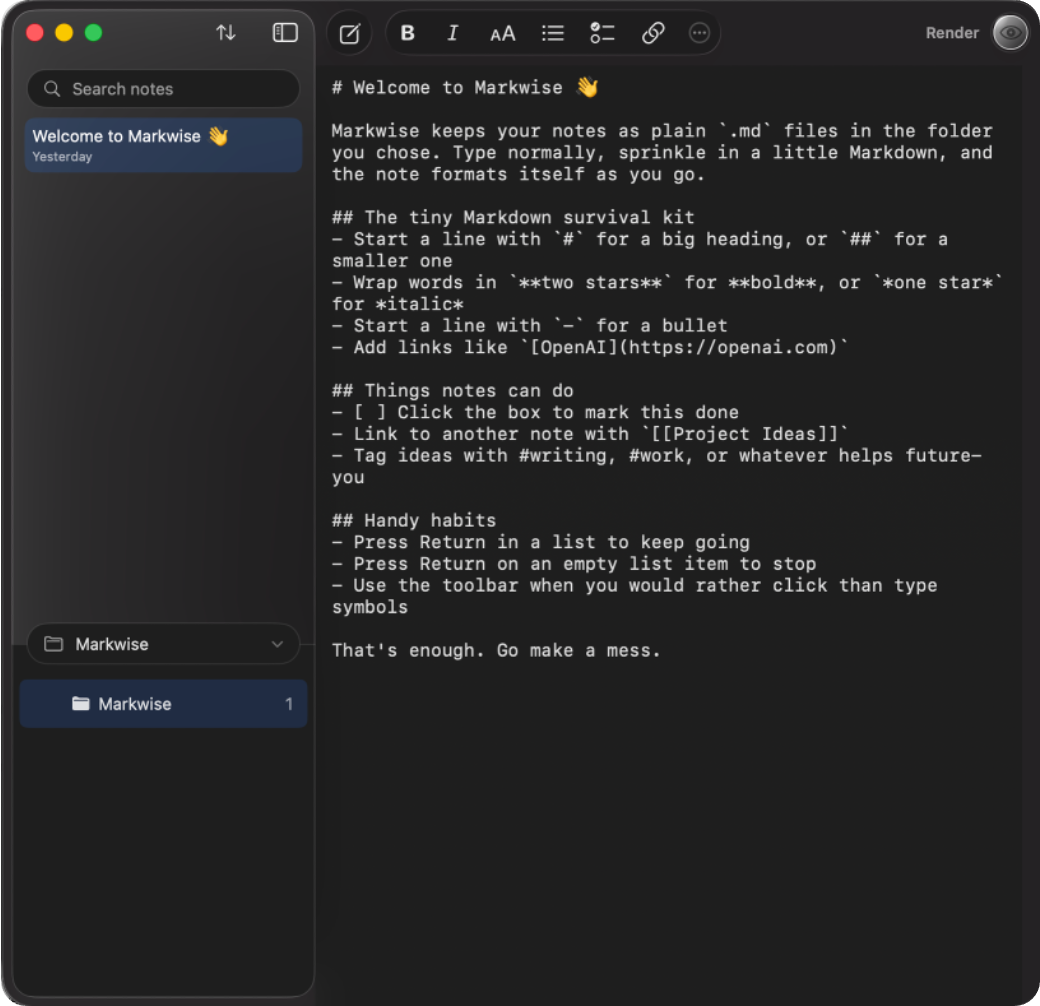
Write directly in the rendered document, then reveal the underlying Markdown source whenever you need it.
A Pixelmere app for Mac

Markdown, designed for writing rather than deciphering. Edit rendered documents directly while keeping every note as an ordinary file.
Coming to the Mac App Store in September 2026
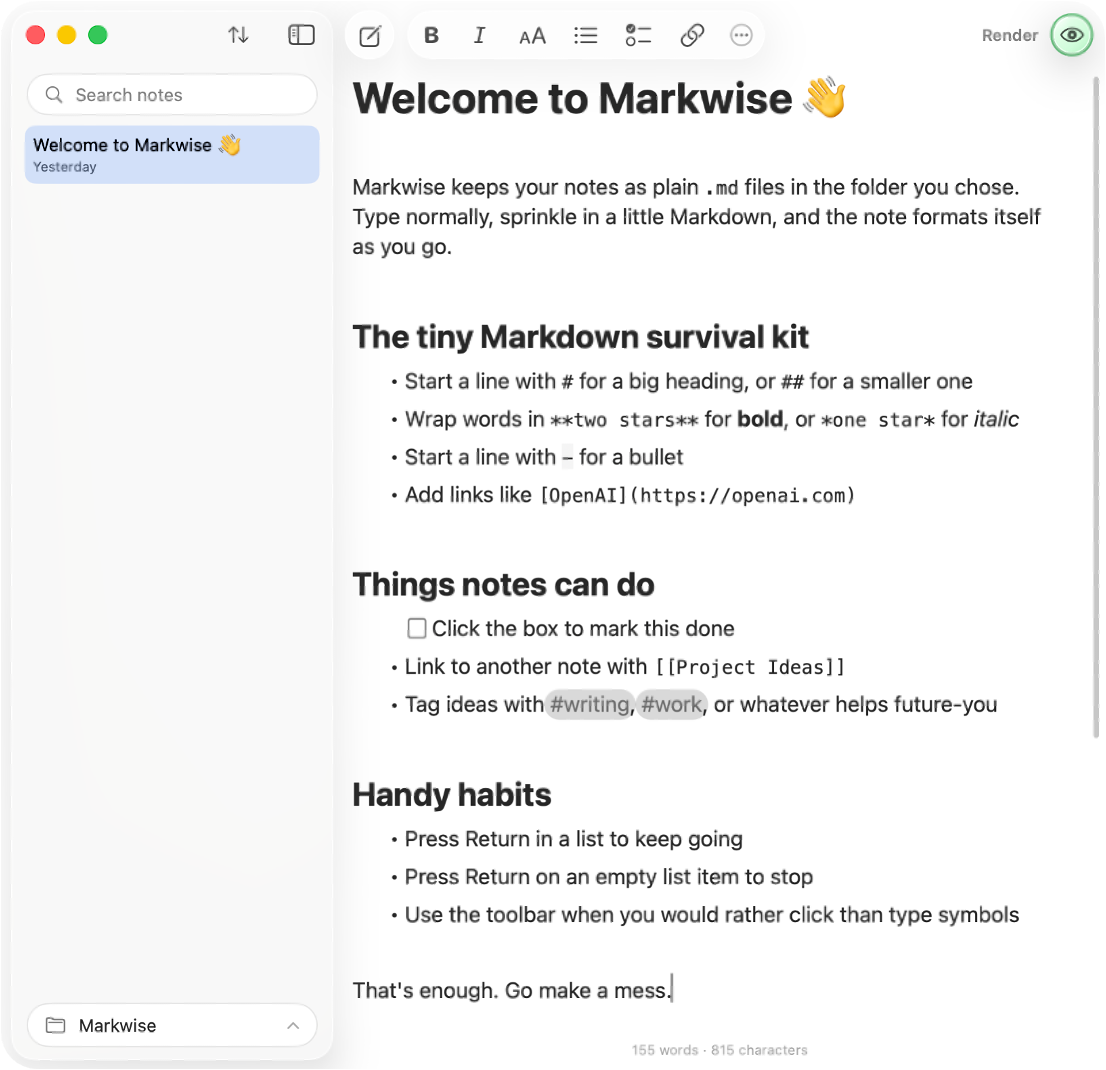
A visual Markdown workspace
Markwise renders Markdown as you edit. Headings look like headings, links like links and code like code, all without separating writing from previewing.
Write directly in the rendered document, then reveal the underlying Markdown source whenever you need it.
Your notes remain standard Markdown files in a folder you choose, readable by other tools and easy to back up.
Create wiki links between ideas and move through your notes as a connected body of work.
Render inline and block formulas clearly within the flow of a document.
Keep code blocks readable with syntax highlighting and a layout designed for longer lines.
Bring richer working material into a note without losing the simplicity of plain-text Markdown.
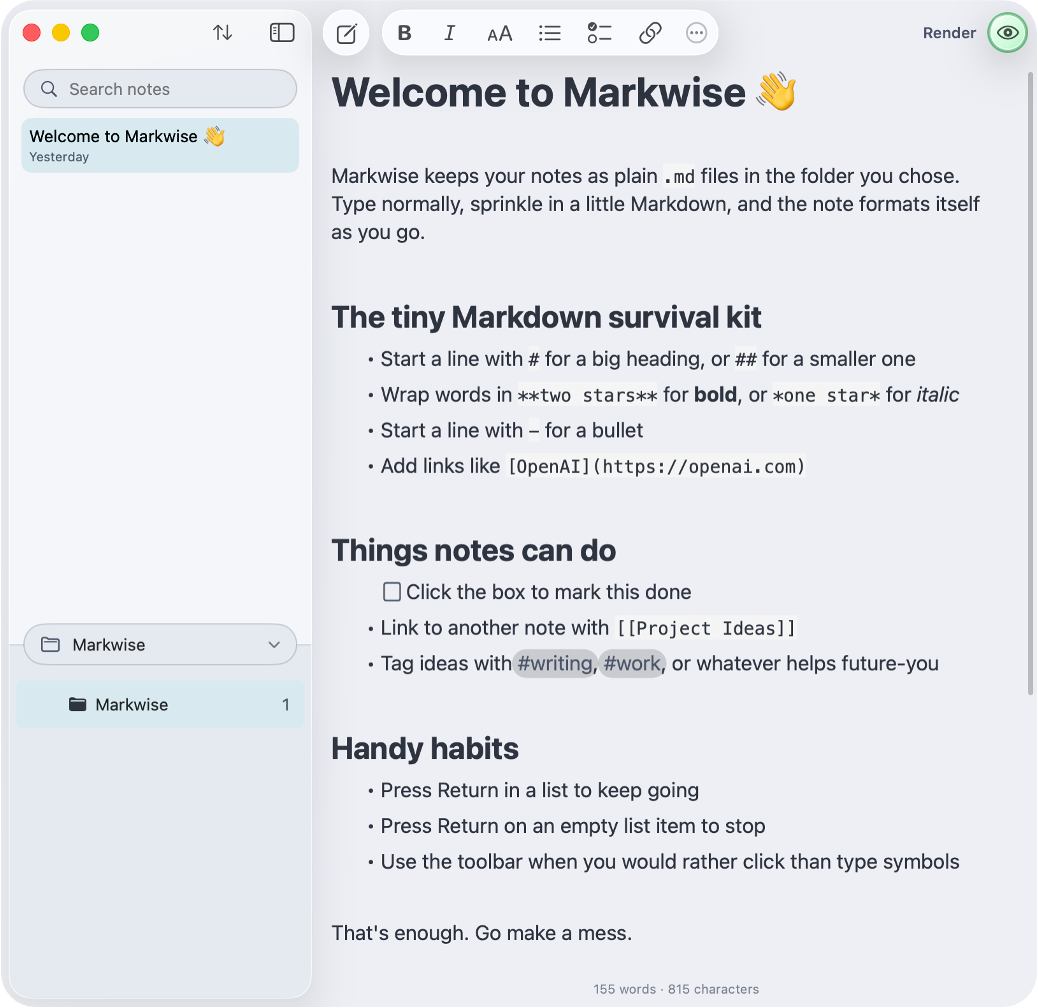
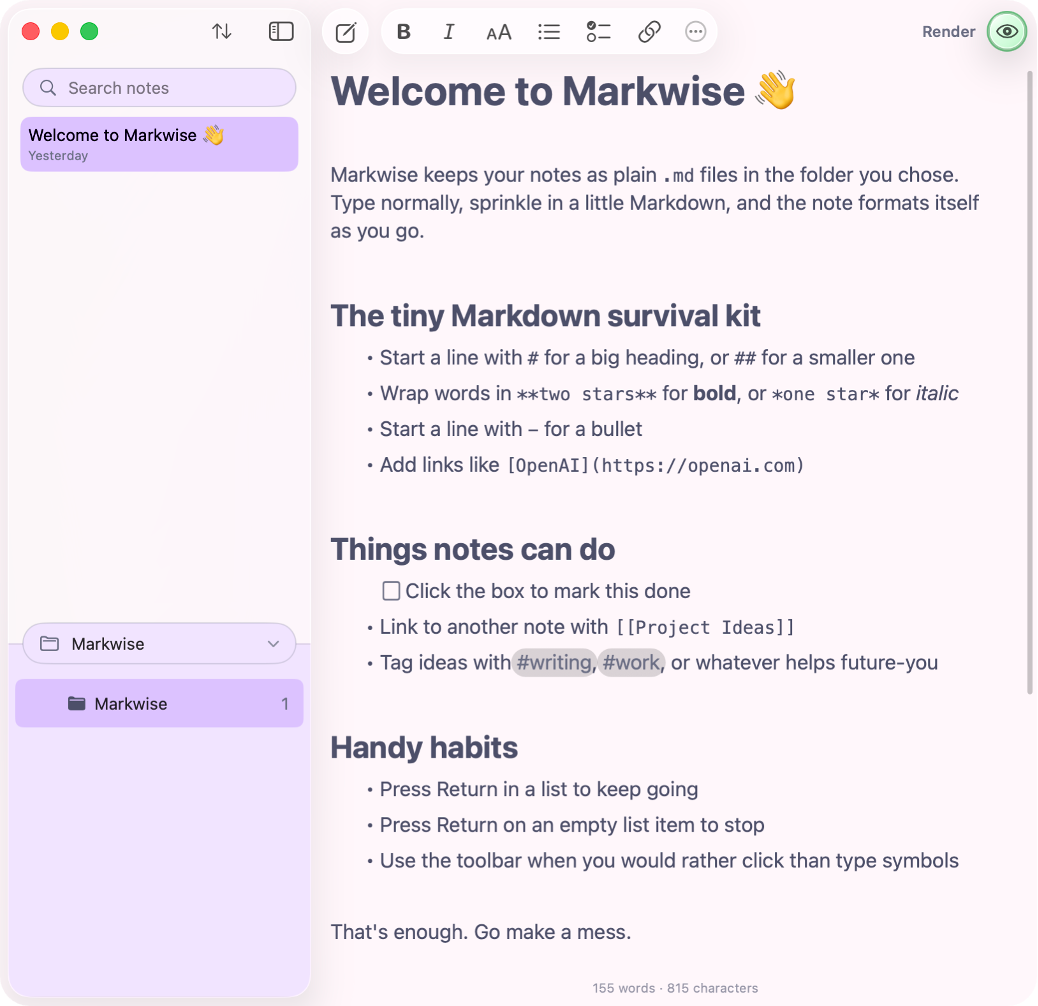
A workspace with range
Choose a restrained palette for the kind of day you are having. Each one carries through the editor, sidebar and rendered Markdown without changing your document.
System appearance
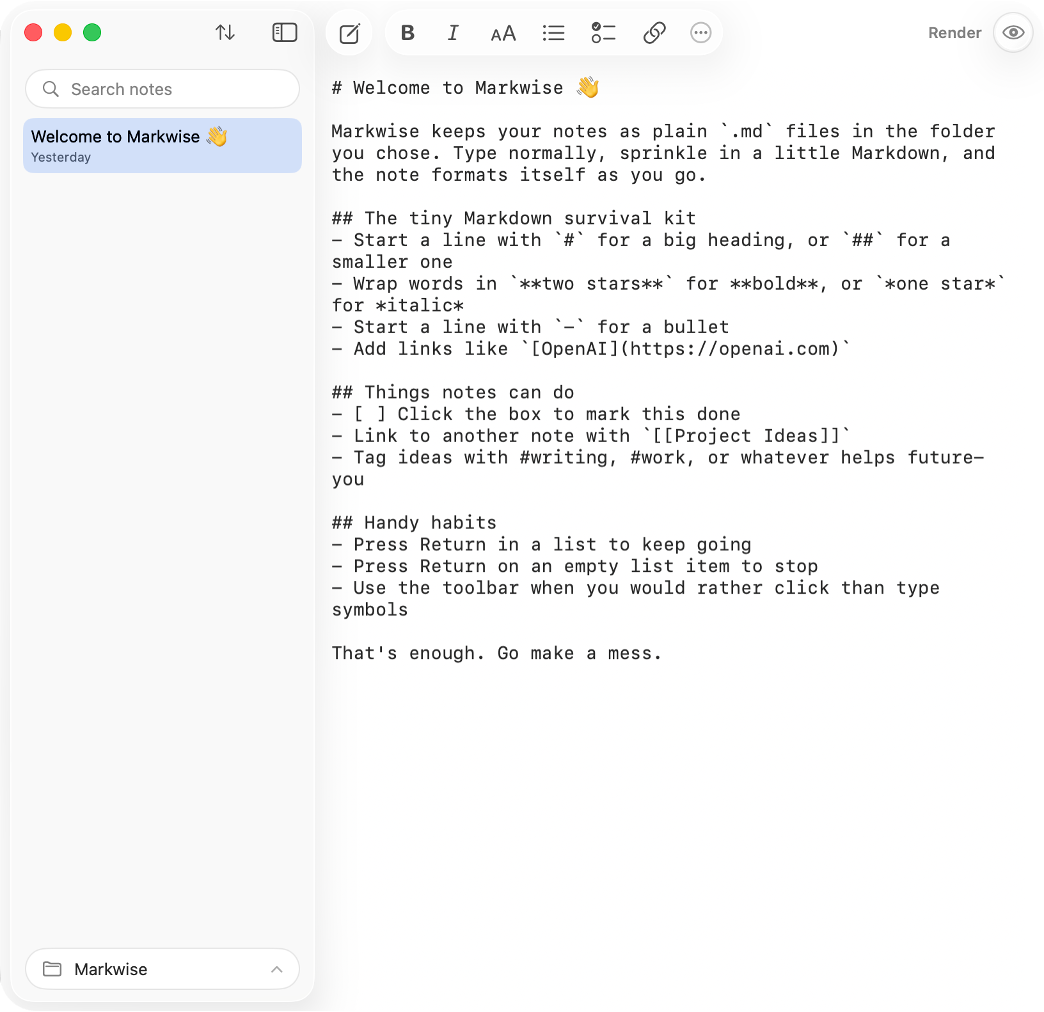
Let Markwise follow your Mac automatically, or keep the app in the appearance you prefer. Visual Markdown and source editing both adapt with it.
Your folder, your choice
Choose any folder Markwise can access. Keep it on your Mac, or place it in an iCloud, Dropbox or other synced location you already use.
Point Markwise to an existing notes folder or start with an empty one.
Use live rendered editing for a calm document view, or switch to source when you want it.
Link notes, sort the sidebar and keep images alongside the documents that use them.
Open or back up the same Markdown files with Finder and the tools you already trust.
Practical control
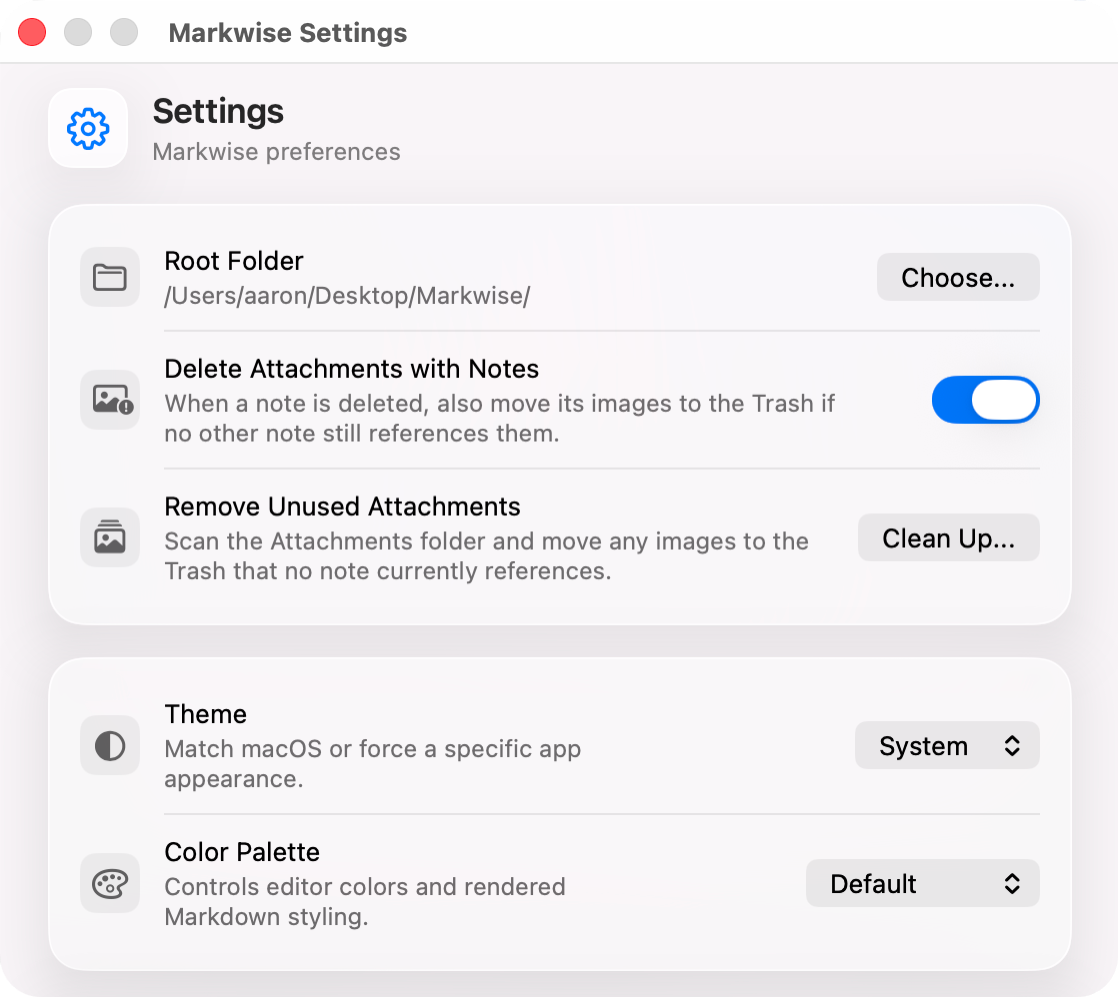
Choose the root folder yourself, decide how attachments behave when notes are deleted and clean up unused images when you are ready.
Designed to stay useful
Markwise has no account, analytics, advertising or online service. It reads and writes notes and attachments only in the folder you select. If that folder is synced, the service you chose handles the sync. Pixelmere does not provide or control it.
Markwise support
Read the support guide or email us. We aim to reply within two working days.